Your campus, in every hand.
Dedicated Android applications for students and guardians, connected securely to each institution’s Aiden Campus.
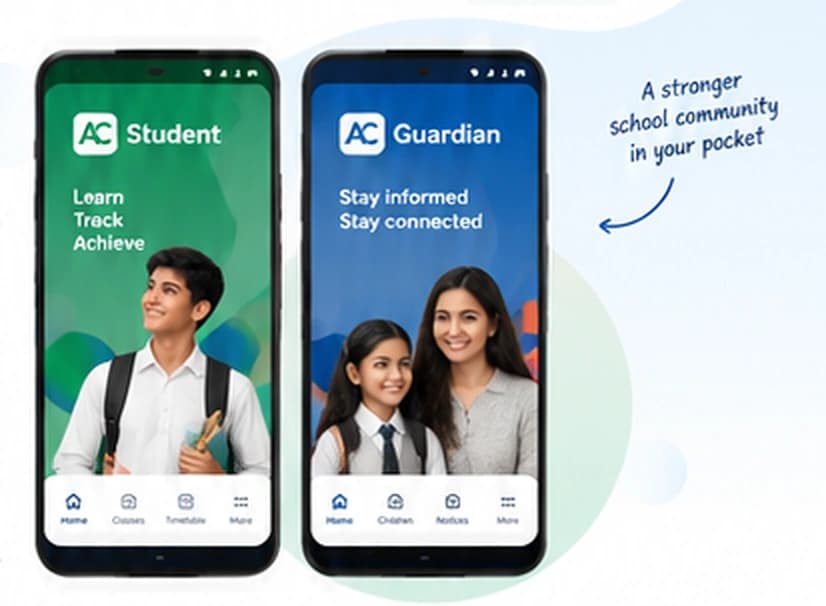
Two apps, one connected campus
Students and guardians get the information they need, when they need it — all connected to the same Aiden Campus platform.
AC AC Student App
Everything students need for a productive school day, right on their Android devices.
AC AC Guardian App
Stay close to your child’s school journey with real-time updates and important information.
Built for real school life
Our Android applications are designed to be fast, reliable and easy to use — so your school community can stay connected, wherever they are.
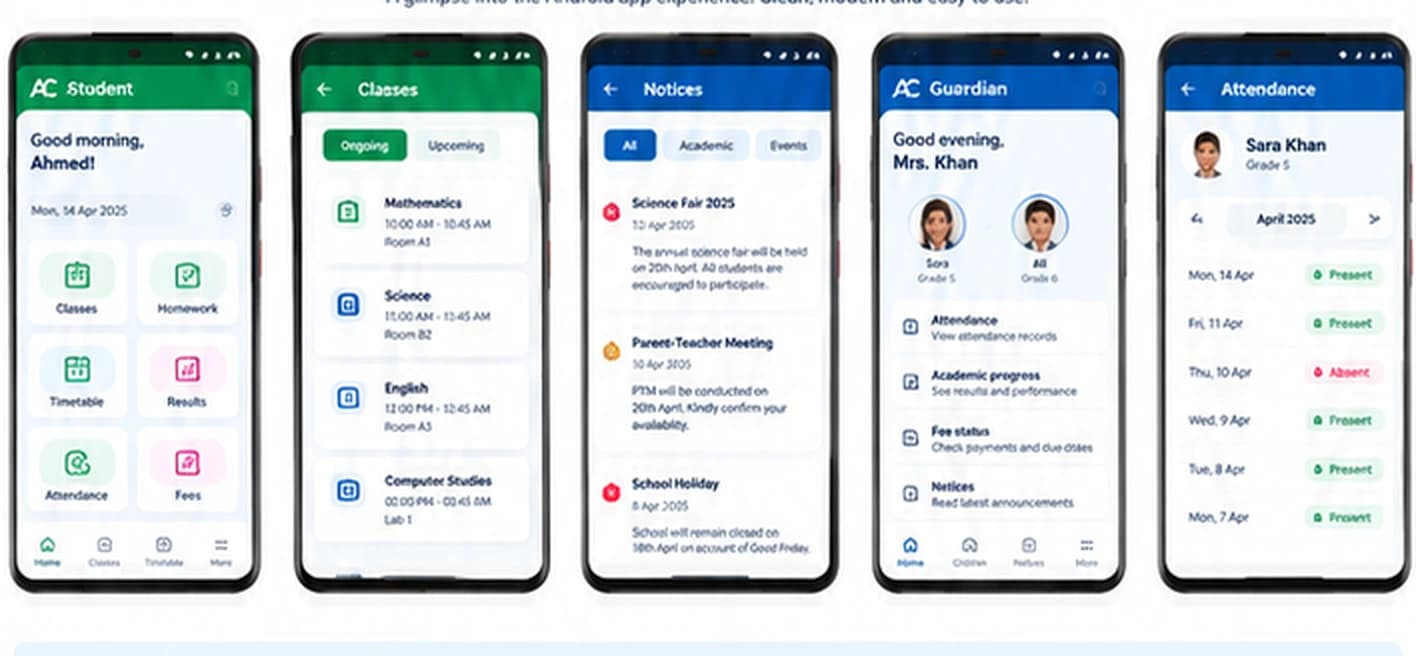
App screens
A glimpse into the Android app experience. Clean, modern and easy to use.
Web Push is available separately
Families can also receive important alerts and notifications in their web browser without installing an app. A simple way to stay informed on any device.
Explore Web Push- Instant browser notifications
- No app installation required
- Works on any device
- Ideal for busy families
Privacy and security
Your trust matters. Our Android applications follow the same security standards as Aiden Campus.
Android App FAQs
Find answers to common questions about the Android applications.
What are the Aiden Campus Android applications?
Dedicated AC Student and AC Guardian apps connected securely to the institution’s Aiden Campus platform.
Who can use the Student and Guardian apps?
A school issues secure access to enrolled students and verified guardians.
Do I need an internet connection to use the apps?
An internet connection is needed to receive current campus information, with a low-data design for everyday mobile networks.
How secure are the Android applications?
Sessions are encrypted, role based, tenant isolated and can be revoked by the institution.
Can multiple children be managed in the Guardian app?
Yes, after the school verifies and links each guardian relationship.
Can our school have its own logo and branding in the app?
Yes. The school logo and identity can appear in the apps, portals, slips and reports.